Krvatox
A downloadable Program for Windows
Krvatox is a powerful system tool designed for deep tracking of your PC's hardware state and performance. By gathering precise telemetry data at the hardware level, it provides users with a comprehensive and clear view of all key system components.
Key Features:
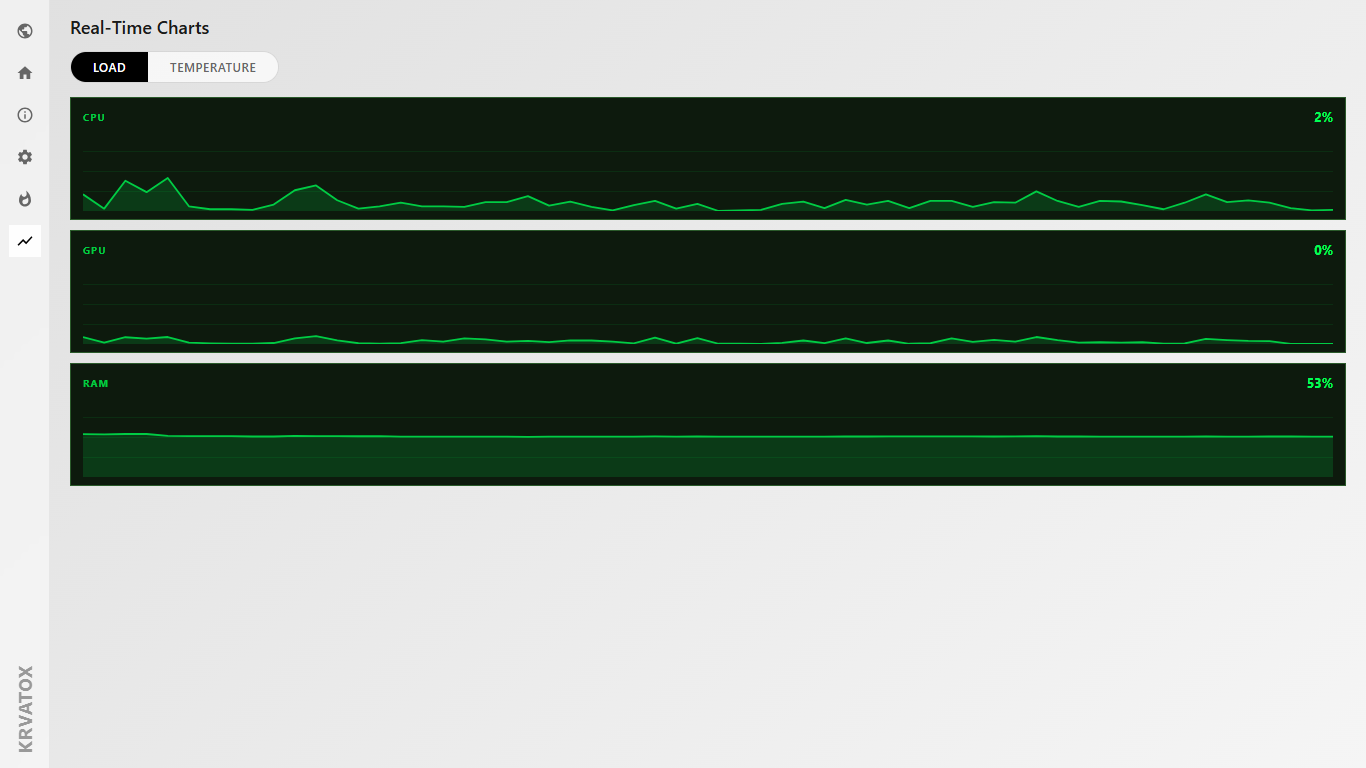
- Deep Hardware Telemetry: Highly accurate tracking of core frequencies, temperature metrics, and individual thread workloads across your CPU and GPU.
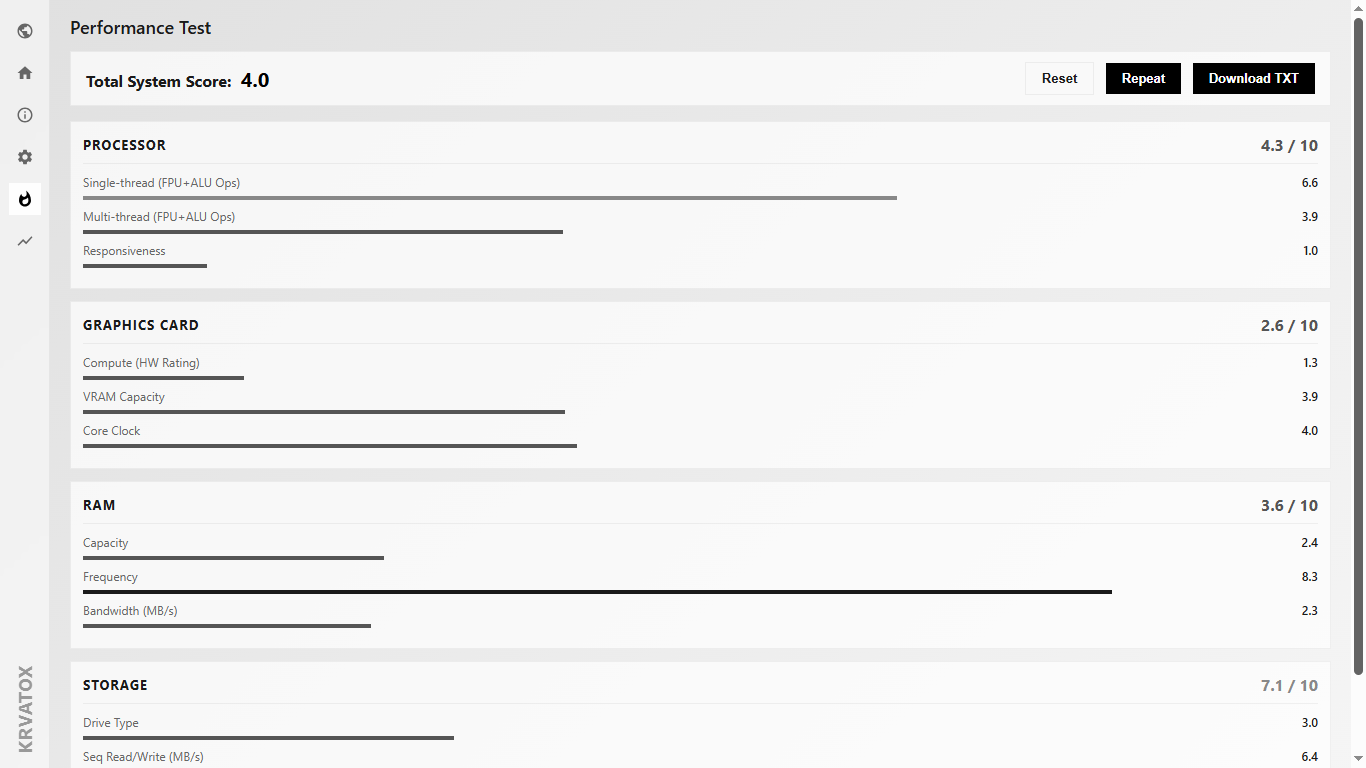
- Storage Diagnostics: Built-in algorithms to evaluate sequential read/write speeds, drive operating temperatures, and input/output operations per second (IOPS) queue depth.
- Stability Testing: Tools to monitor computing unit scaling, detect thermal throttling, and assess system behavior under heavy diagnostic workloads.
Monitored Parameters:
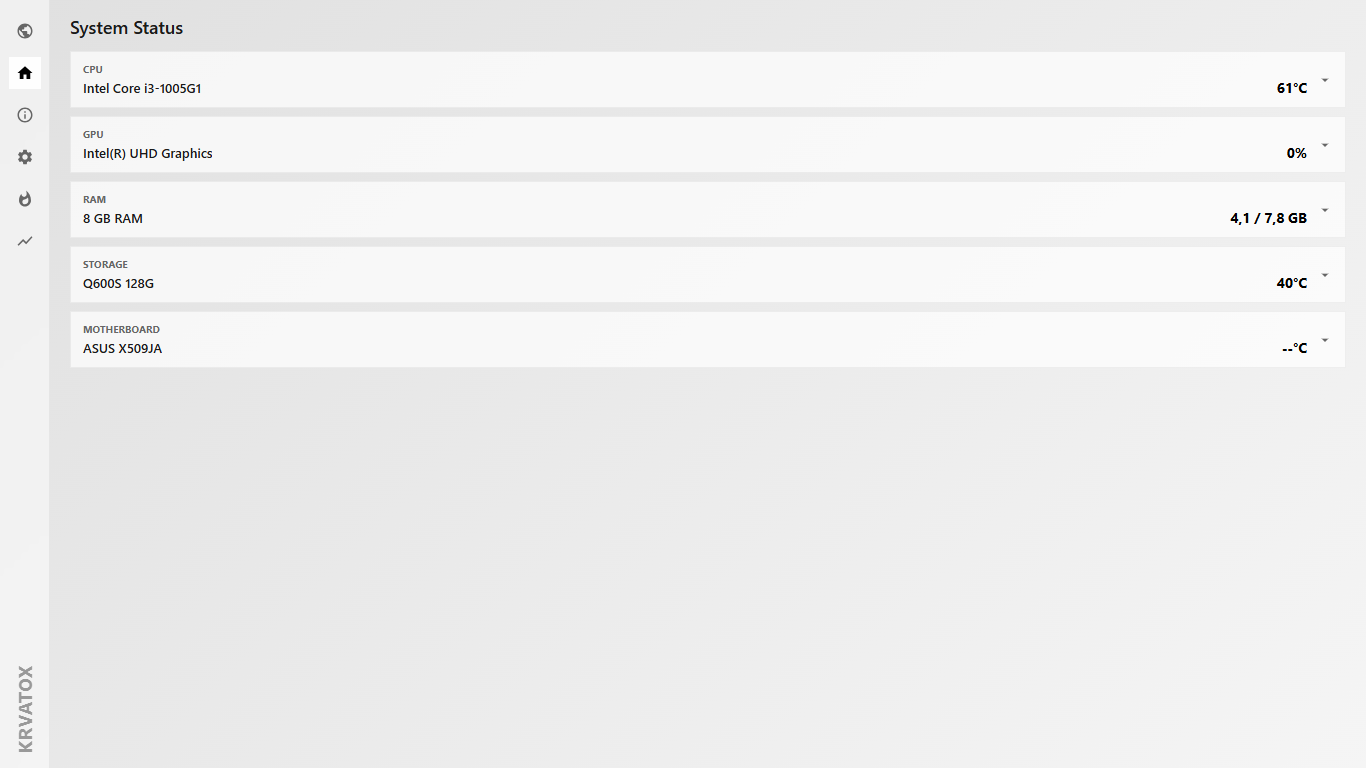
- Processor (CPU): Individual core loads, clock speed fluctuations, overall temperature matrix, and power consumption (TDP).
- Graphics Card (GPU): Core and VRAM clocks, precise GPU and HotSpot temperatures, VRAM utilization, and fan speeds (RPM).
- System Memory (RAM): Total volume, current active memory, percentage of utilization, and page file exchange speeds.
- Storage (SSD/HDD): Operating temperatures, real-time sequential read/write rates, and active IOPS tracking.
Technical Specifications & Privacy:
- OS: Windows 10 / Windows 11 (64-bit only).
- Runtime Environment: Built on modern .NET 10.0 architecture.
- Total Privacy: The system processes and saves all telemetry logs exclusively locally on your machine. Krvatox does not collect, compile, or transmit any tracking profiles, user metadata, or usage analytics.
Download
Install instructions
How to Install & Run Krvatox
1. Installation
- Download the installer file
Krvatox_Setup.exefrom the downloads section below. - Launch the downloaded file and follow the setup wizard prompts.
- By default, the installer will deploy all necessary application and configuration files directly to
C:\program\Krvatox.
2. Launching the Application
- Once the installation is complete, locate the Krvatox shortcut on your Desktop or Start Menu.
- Right-click the shortcut and select "Run as Administrator".
⚠️ Why this is required: The application demands elevated privileges strictly to initialize safe, low-level drivers. Without administrator rights, Windows will block access to the physical hardware sensors, making it impossible to fetch accurate data (such as CPU core temperatures, GPU HotSpot, and drive IOPS metrics).
Once launched, the main window will open, and Krvatox will immediately begin capturing real-time telemetry from all system components.
Leave a comment
Log in with itch.io to leave a comment.